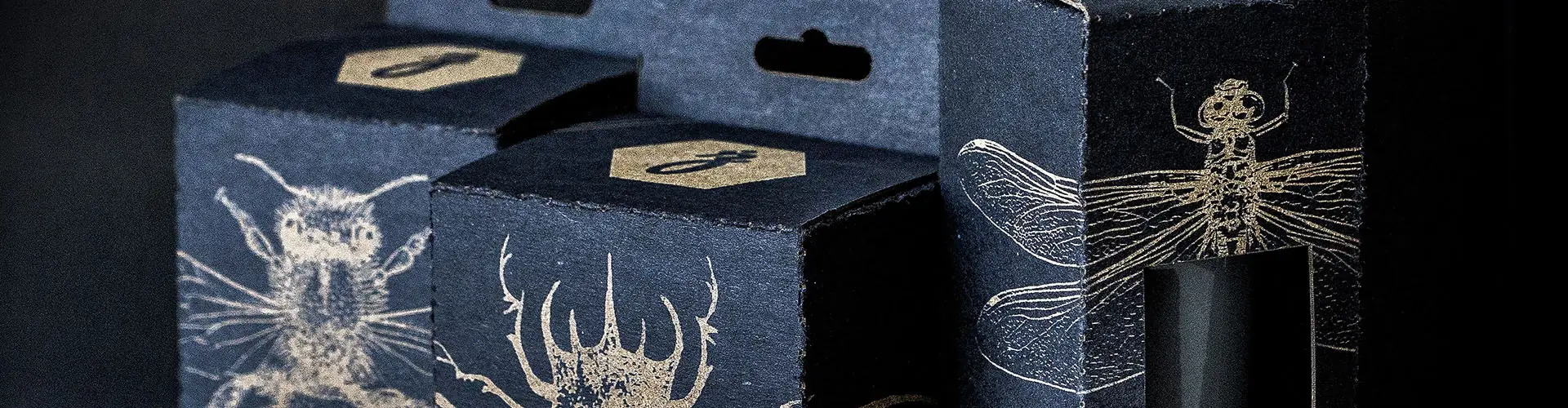
Laser Cutters for Packaging Design and Prototyping
Design studios, packaging prototyping rooms and display makers use lasers to cut, score and engrave prototypes in-house. Here is what to buy and how to set it up.
How packaging designers use a laser
For a packaging designer, the laser sits between the screen and the die cutter. You draw the dieline, send it to the laser, and have a folded prototype on the table the same day. When the client asks for a change, you edit the file and cut another one.
Put cut lines, score lines and artwork on separate colours or layers, so each one gets its own power and speed. The laser engraves the graphics, scores the folds with a low-power pass and cuts the outline in one job. The same machine cuts acrylic and wood for point-of-purchase displays.
Typical jobs
- Carton and box prototypes for client presentations
- Short-run custom boxes, sleeves and inserts
- Scored and perforated fold lines in the same job as the cut
- Engraved logos and graphics on paperboard and kraft board
- Wood presentation boxes with engraved lids
- Acrylic, corrugated and paperboard point-of-purchase displays and mock-ups
From dieline to finished box
-
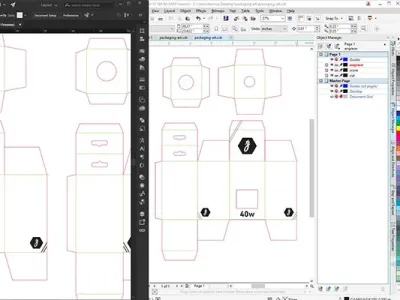
Dieline artwork Cut, score and engrave lines sit on their own layers. -
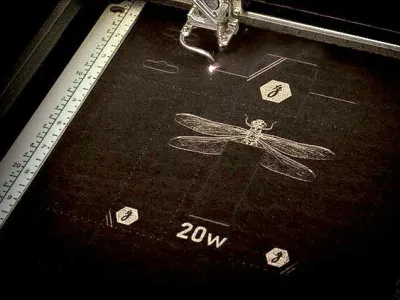
Engraving the cardstock The laser engraves the artwork and cuts the flat box from one sheet. -
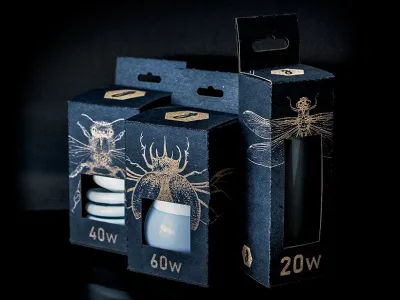
Folded boxes Each box is popped out, folded and glued.
Materials that work
- Paperboard and card stock
Engraves and cuts cleanly at low power. It catches fire easily, so stay at the machine.
- Corrugated cardboard
For shipper and display mock-ups. It can flare up, so keep air assist on and watch the job.
- Cast acrylic
For displays, stands and holders. Cuts with a polished edge and engraves frosty white.
- Wood and plywood
For presentation boxes, lids and inserts. Buy laser-grade plywood so the glue lines don't stop the cut.
Not sure about a material? Check the laser-safe materials guide.
Setups we usually recommend
- 1
Design studio
A CO₂ Fusion Ascent 24 or 36 with a FiltraBox extractor is a good start for carton prototypes and mock-ups. Electrical requirements vary by model and wattage; confirm the supply and receptacle before ordering.
- 2
Prototyping room
A Fusion Pro 36 or 48 when the laser runs most of the day, or when your dielines need a larger bed.
- 3
Full sheets and displays
If you cut full 4 × 8 ft sheets of corrugated board or acrylic for displays, a Kern flatbed is worth a look. Plan for 230V power, and check the room first.
Paper and board can catch fire
Paperboard, card stock and corrugated cardboard can flare up under the beam. Never leave a running job unattended, keep air assist on, and keep a fire extinguisher within reach.
Never cut PVC or vinyl, PVC foam board or polystyrene foam. Some release corrosive or toxic gases, and some catch fire. If you can't tell what a coating or laminate is made of, it doesn't go in the laser.
Laser-safe materials guide →Equipment and materials

Fusion Ascent 12, 24 and 36 for a studio's first laser; Fusion Pro 24, 36 or 48 when the laser runs all day or you need a larger bed.
View Epilog
Flatbed lasers that take full sheets, for display makers and prototyping rooms that cut full-size corrugated board and acrylic.
View Kern
Canadian-made extractors (Vaudreuil-Dorion, Quebec) that filter laser fumes when you can't vent outdoors. Cutting paperboard and cardboard makes smoke, so size the unit to the machine and the work.
View FiltraBoxQuestions we get asked
Can a laser score fold lines as well as cut?
Yes. Put score lines on their own colour or layer. A low-power vector pass marks the fold without cutting through. For a perforated fold, cut a dashed line instead. Expect to tune power and speed for each board.
Does a laser replace a die cutter?
For prototypes, samples and short runs, often yes, because there is no die to make. For long runs, a die cutter is usually faster per piece. Designers often use the laser to prove a dieline before they order the die.
What size laser do we need for packaging prototypes?
Start from your largest flat dieline, not the finished box. Small cartons, sleeves and inserts often fit a 24 × 12 in bed. Larger cartons, shippers and display parts may need 36 × 24 in or more, and full sheets need a large-format machine.
Do we need to vent the laser outside?
You need fume extraction either way. Venting outdoors works where the building allows it. In a studio or office that can't vent, a filtered extractor such as a FiltraBox captures the fumes in the room.
Bringing packaging prototypes in-house?
Tell us the largest dieline you cut, the boards you use and how many prototypes you make in a month. We'll suggest a machine and extraction setup that fits.